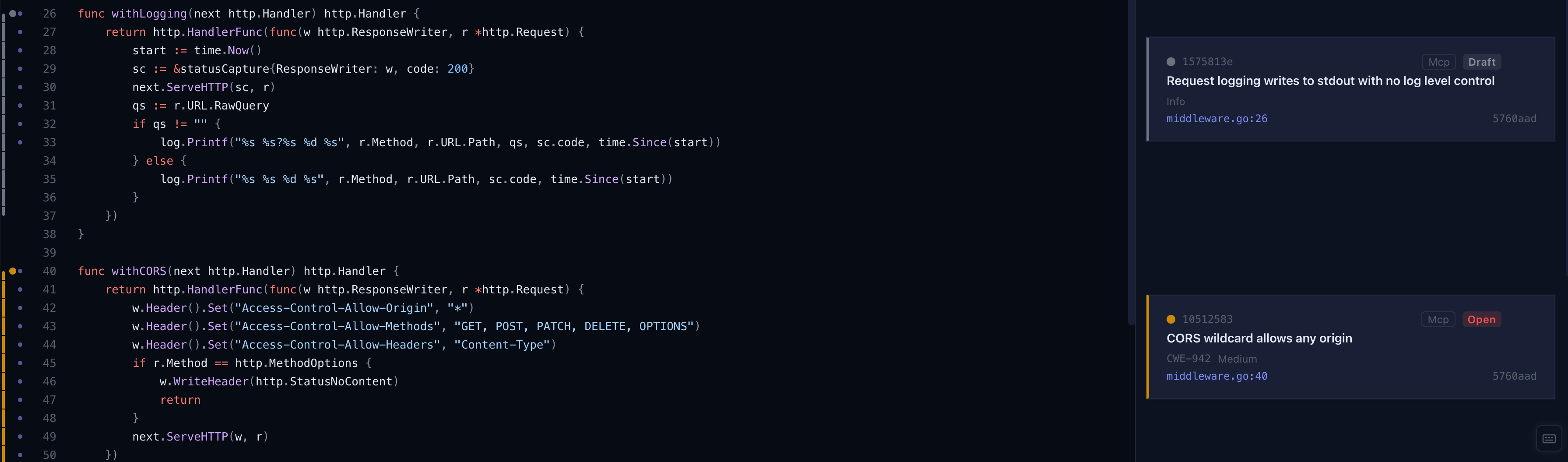
Browse
Browse shows a single file with its annotations. Use the file tree on the left to navigate.
Adding annotations
Select one or more lines using the gutter on the left edge. A toolbar appears with four options:
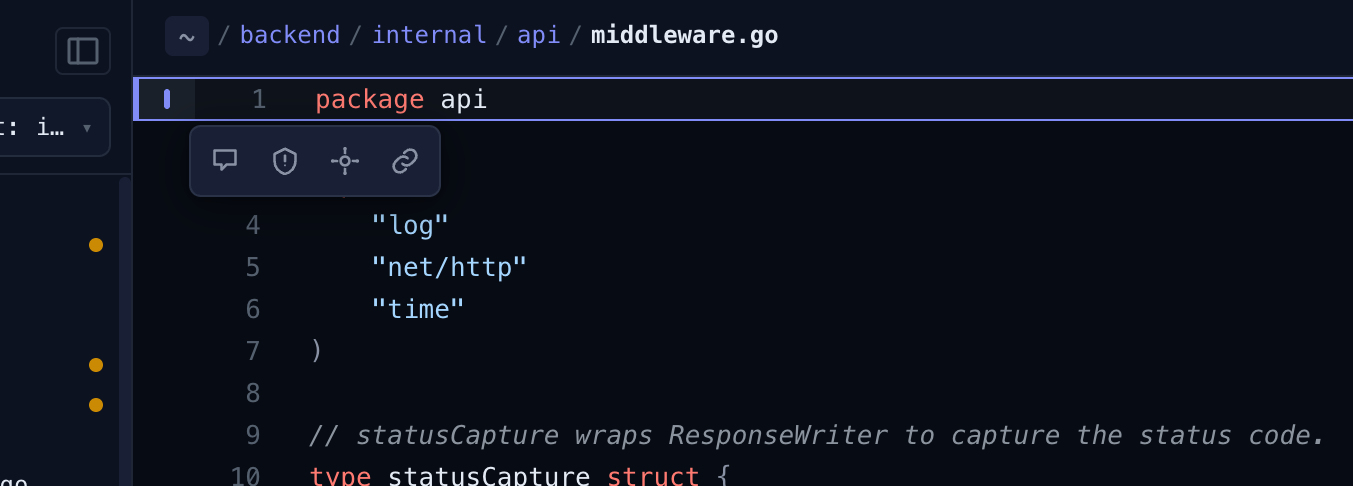
Comment - a free-form review note. Enter the text and submit.
Finding - a vulnerability or issue. Set the title and severity; optionally add a description, status, CWE, CVE, and CVSS vector/score. The file and line range are pre-filled from your selection.
Feature - a long-lived annotation for things worth tracking across commits: API endpoints, data sources and sinks, third-party dependencies, and other externalities. Choose a kind (interface, source, sink, dependency, externality), give it a title, and optionally add an operation, direction (in/out), and protocol.
Copy link - copies a line reference URL to the clipboard. The link is constructed from the repository's git remote, so it points directly to the selected lines on the remote host (e.g. GitHub).
Viewing annotations
Existing annotations appear in the sidebar. Click any entry to jump to its location in the file and expand its details.
Finding severity is shown as a coloured bar spanning the annotated line range in the gutter. When multiple findings overlap, they stack horizontally.