Findings
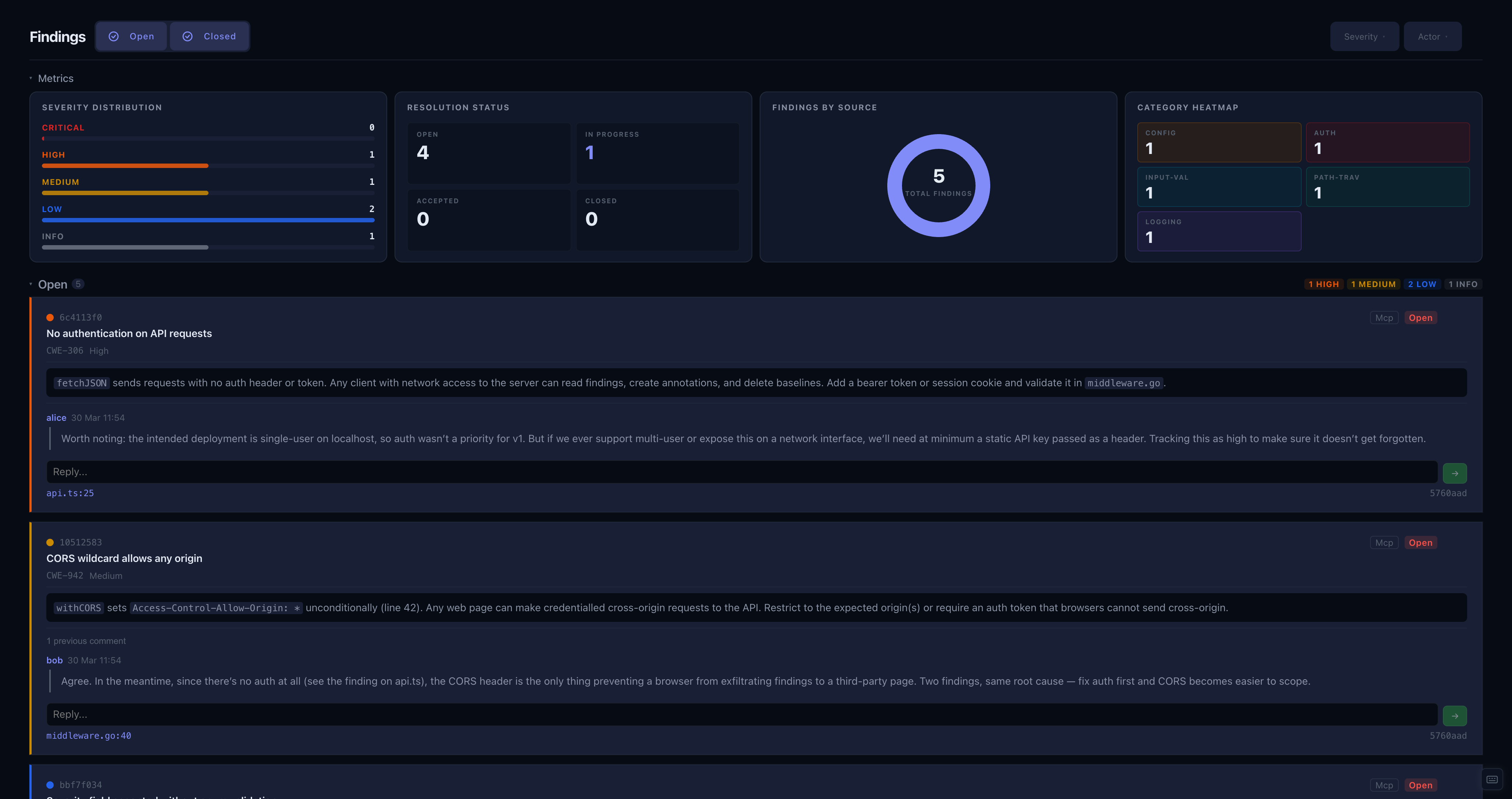
The Findings panel lists all findings across the project. A metrics section at the top breaks them down by severity, status, category, and source.
Findings are grouped into two sections: Open (draft, open, in-progress) and Closed (false-positive, accepted, closed).
Editing
Expand a finding card and click the edit icon to open the edit form. You can change the title, description, severity, status, source, category, CWE, CVE, and CVSS vector/score.
To cycle a finding's status without opening the full form, click the status label directly.
Conversation
Each finding has a comment thread. Expand the finding to read the discussion and add a reply. Type in the text area at the bottom and press Submit or ⌘/Ctrl + Enter to post.
Click the edit icon on any comment to revise its text, or the delete icon to remove it.
Filtering
Use the severity and source dropdowns to narrow the list. Toggle the Open and Closed sections to focus on what's relevant.